Securing Customer Data as a Solopreneur

Many micro-business owners assume they are too small to be targeted by hackers. The reality is the opposite: small businesses and solopreneurs represent the easiest targets because they rarely have dedicated IT departments or professional security controls in place.
Furthermore, as you begin using modern cloud services and A.I. productivity tools, you are constantly transferring client details across networks. If a data breach occurs, it can destroy your reputation and cost thousands in liabilities.
Customer data security is not a luxury reserved for big companies—it is a basic operating requirement for anyone holding a client’s name, email, payment details, or confidential project files. Here are the simple, low-cost steps to secure your business data today, plus a one-hour setup walkthrough and answers to the questions solopreneurs ask most.
Why Solopreneurs Are a Prime Target
Attackers favor automation. They run scripts that probe thousands of small sites and inboxes looking for weak passwords, unpatched plugins, and reused credentials. You are not targeted because you are important—you are targeted because you are reachable and likely under-defended.
Consider the real-world cost. A single compromised email account can be used to:
- Read every client conversation and attachment you have ever sent.
- Reset passwords on your other connected services.
- Send invoices with the attacker’s bank details to your clients.
For a solo business, the damage is not just financial—it is reputational. A client whose data leaks through you may never come back, and word travels.
1. The Principle of Least Privilege
Never grant any tool or platform more access than it absolutely needs to function.
- If you use an automated assistant to draft replies, don’t link it to your entire email server history if it only needs access to one specific folder.
- Regularly audit browser extensions and cloud integrations (OAuth access tokens) and delete integrations you no longer use.
Concrete example: You sign up for a scheduling app that asks for “full access to your Google account.” It only needs your calendar. Granting full access means that if that vendor is breached, your entire inbox and Drive are exposed too. Always choose the narrowest permission offered, and revoke access the moment you stop using a tool.
A quick monthly habit: open your Google or Microsoft account’s “Third-party apps with account access” page and remove anything you do not actively use. Most solopreneurs find five or more forgotten integrations on their first pass.
2. Opt-Out of AI Training Programs
Most popular AI services default to utilizing your data inputs to train their algorithms. While this improves their global models, it presents a massive risk for your private client communications.
- ChatGPT: Go to Settings > Data Controls > Turn off “Chat History & Training”.
- Claude: Check privacy disclosures; Anthropic does not train on your data unless you explicitly submit it for evaluation or use specific public options.
- API Access: If you build custom integrations using OpenAI or Anthropic API endpoints, your inputs are never used for training. Using APIs is often the safest route for sensitive business processes.
The anonymize-first rule: Before pasting any client material into an AI tool, replace identifying details with placeholders—[CLIENT NAME], [ADDRESS], [ACCOUNT #]. The AI can still draft your email or summarize your notes perfectly; it just never sees the sensitive parts.
New to automating with AI? Start with Introduction to A.I. for Small Businesses to learn how to safely put these tools to work.
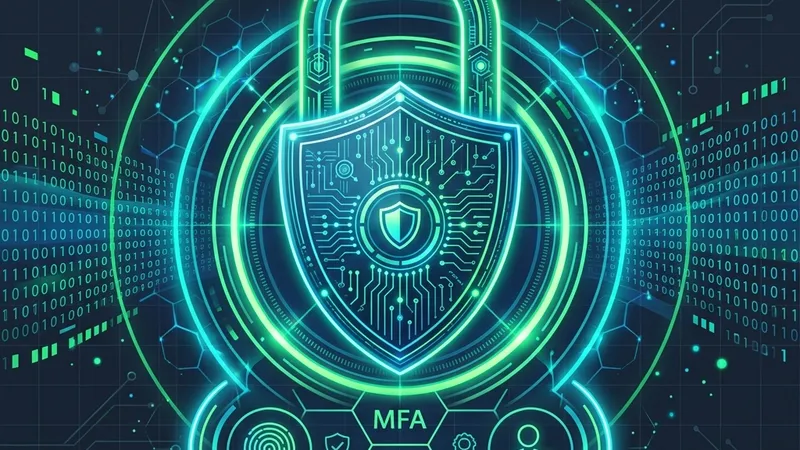
3. Implement Multi-Factor Authentication (MFA)
This is the single most effective security measure you can take. Enable MFA on every critical platform, including:
- Your domain host and website dashboard (Hostinger hPanel)
- Your business email provider (Google Workspace, Microsoft 365)
- Your financial portals and crypto wallets
Prefer authenticator apps (like Google Authenticator or Microsoft Authenticator) over SMS-based MFA, as SMS can be hijacked via SIM-swapping—an attack where a criminal convinces your phone carrier to move your number to their device, intercepting your codes.
4. Use a Password Manager and Stop Reusing Passwords
The most common way small businesses get breached is not a sophisticated hack—it is a reused password exposed in someone else’s data breach. If your email password is the same one you used on a forum that got hacked in 2020, attackers already have it.
A password manager (Bitwarden, 1Password, or similar) generates and stores a unique, strong password for every account. You remember one master password; it handles the rest. This single change eliminates the largest category of small-business compromises.
5. Keep an Encrypted, Offline Backup
Ransomware and accidental deletion are as damaging as theft. Keep at least one backup of your critical business data—client files, contracts, and financial records—that is encrypted and not permanently connected to your computer. A simple approach: an encrypted external drive you plug in weekly, plus a reputable cloud backup secured with its own strong, unique password and MFA.
The rule of thumb professionals use is “3-2-1”: three copies of important data, on two different types of media, with one kept off-site. For a solo business that can be as light as your working copy, an encrypted local backup, and an encrypted cloud copy. Test a restore once in a while—a backup you have never verified is only a hope, not a safety net.
A One-Hour Customer Data Security Setup
You can dramatically harden your business in a single focused session. Work through this in order:
- Minutes 0–15: Install a password manager. Change your email and domain-host passwords to new, unique, generated ones first.
- Minutes 15–30: Turn on MFA (authenticator app) for email, domain host, banking, and payment processors.
- Minutes 30–45: Audit third-party app access on your Google/Microsoft account and revoke anything unused.
- Minutes 45–55: Open your AI tools and disable training/chat history; note which tools you’ll anonymize inputs for.
- Minutes 55–60: Confirm your devices have automatic OS updates and disk encryption (FileVault on Mac, BitLocker on Windows) turned on.
By spending just one hour implementing these basic security protocols, you build a resilient shield around your business operations.
What to Do If You Suspect a Breach
Move fast and in this order: change the password on the affected account, sign out all active sessions, enable MFA if it wasn’t already, check for unfamiliar forwarding rules or connected apps, and notify any clients whose data may have been exposed. Quiet, prompt honesty with clients protects trust far better than silence that later unravels.
Frequently Asked Questions
I’m a one-person business. Do I really need all this?
Yes—arguably more than a large company, because you have no IT team or insurance safety net. The good news is the steps above are free or near-free and take about an hour total.
Is it safe to use AI tools with customer data at all?
It can be, if you anonymize sensitive details, disable training/history, and prefer API-based tools for confidential work. The risk comes from pasting raw identifiers into consumer chat tools with default settings.
Authenticator app or SMS for MFA—does it matter?
It matters. Authenticator apps are significantly safer because SMS codes can be intercepted via SIM-swapping. Use an app wherever it’s offered.
What’s the single highest-impact thing I can do today?
Adopt a password manager and stop reusing passwords. Reused credentials are the leading cause of small-business account takeovers.
Securing digital assets and client data is a core foundation of modern solopreneurship. Stay tuned for my upcoming book, Demystifying Cryptoassets, where I address digital safety in depth — or grab the free Solopreneur Toolkit for a security checklist you can use today.

Written by Rafael Tonin
IT and Information Security specialist helping solopreneurs build automated, modern business operations safely. If you found this article helpful, join the community to get blueprints delivered weekly.
Get the Free Toolkit